Multiple Ledgers
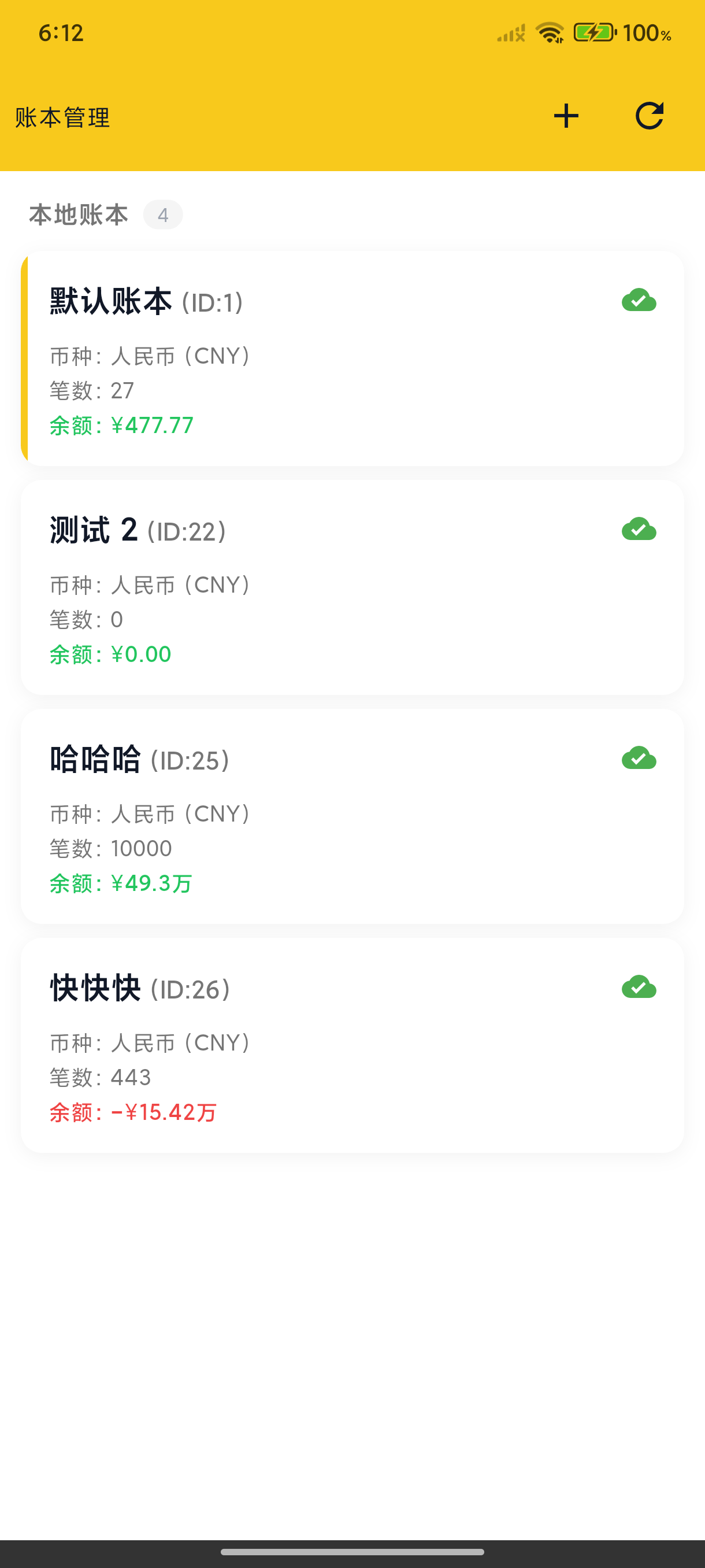
BeeCount supports creating multiple independent ledgers for different recording needs.
Use Cases
- Daily Ledger - Personal daily income and expenses
- Travel Ledger - Expenses for a specific trip
- Project Ledger - Project expense tracking
- Family Ledger - Shared household expenses
- Side Business Ledger - Keep side income separate
Create a Ledger
- Tap the ledger name at the top of the Home tab to enter "Ledger Management"
- Tap "+" to create a ledger
- Enter ledger name
- Optionally select an icon
Switch Ledgers
Tap a ledger to switch. The home page displays data for the current ledger.
Ledger Independence
Each ledger's data is completely independent:
- Transaction records
- Statistics
- Categories can be shared or independent
- Statistics period — each ledger can set its own Month Start Day (✨ v3.4.0), e.g. align a personal ledger to payday and a credit-card ledger to its statement day
Delete a Ledger
Deleting a ledger also deletes all transactions in that ledger. Please proceed with caution.
We recommend exporting data as a backup first.
Web Ledger Management
Sign in to BeeCount Cloud on the web → avatar menu → Ledgers:
- Create / edit / delete — same as mobile. On first sign-in with no ledgers yet, the top-bar ledger picker becomes a "+ Create ledger" CTA for one-click setup.
- Ledger cards — show tx count / income / expense / balance / last-updated time; click to edit name & currency, ↑ upload icon on the top-right imports data into that ledger.
- Top-bar ledger picker — global switcher; all lists / stats / AI recording follow the current ledger.
Web and mobile share the same ledgers; changes sync in real-time via BeeCount Cloud.